






































AI tools
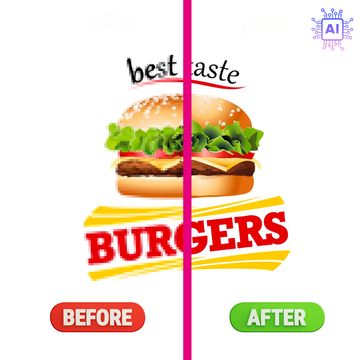
Automatic vectorization and background removal in seconds to prepare your print files quickly and easily.
- ✔ Vectorization
- ✔ Background Removal
- ✔ Credit system


easy to use
No graphic design skills required. Just a few clicks to get a print-ready file.
Instant Result
Process your visuals in seconds, with no waiting or manual intervention.
Available 24/7
Use our tools whenever you want, directly online, from any computer.

What is an AI tool?
An AI tool is an application that uses artificial intelligence to automate tasks usually performed manually. In the field of textile marking, it can for example automatically remove the background from an image or transform a logo into a vector file in seconds. Thanks to AI, these operations are faster, simpler and accessible to everyone.
FONCTIONNEMENT
How to access AI tools?
Logo order
Free via Easy order
From Easy Order, you can vectorize a logo or remove a background for free while preparing your order. The modified file is used to produce your transfers, but is not downloadable.
Token Purchase
With the credit system
Purchase credits and use our AI tools independently. Each vectorization or background removal consumes 1 credit. You then recover the generated file and can use it freely, whether to order transfers from Sherpa Transfert or for any other project.
Credits have no expiration date.

What is automatic vectorization?
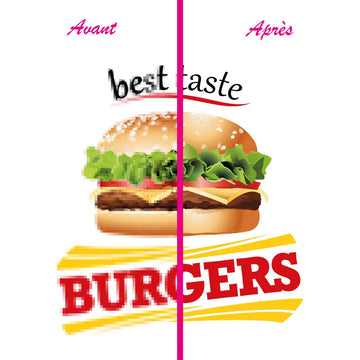
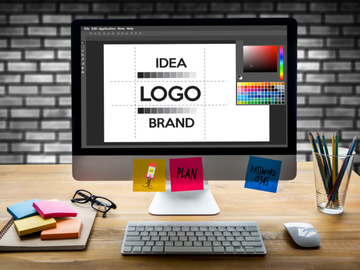
Automatic vectorization is a technology that automatically transforms an image made up of pixels (JPG, PNG, GIF...) into a vector file. Unlike a standard image, a vector file can be enlarged or reduced without loss of quality.
This process produces sharper outlines, more precise shapes and a file better suited for printing, cutting or textile personalization.

What is automatic background removal?
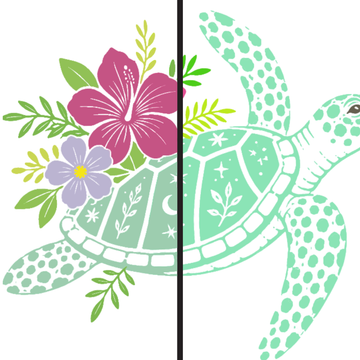
Automatic background removal is a technology that automatically detects and removes the background of an image using artificial intelligence. In just a few seconds, the main subject is isolated on a transparent background, without the need for manual clipping.
This solution allows you to quickly prepare logos, visuals, or photos for printing, textile customization, or graphic design. The result is clean, precise, and ready to be used on your various media.
benefits
Why choose Sherpa Transfert AI tools?
Designed for printing
Our AI tools are designed to meet the real needs of textile marking and printing professionals.
Fast and simple
Get a result in seconds, without complex software or special graphic design skills.
Integrated into your workflow
Prepare your files faster and proceed directly to checkout or production. A real time-saver every day.
Our textile transfers
DTF transfer
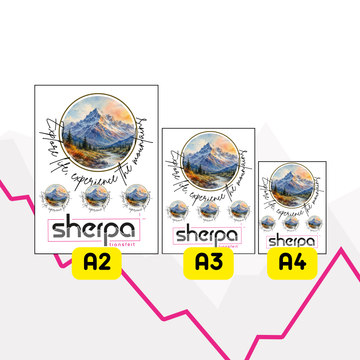
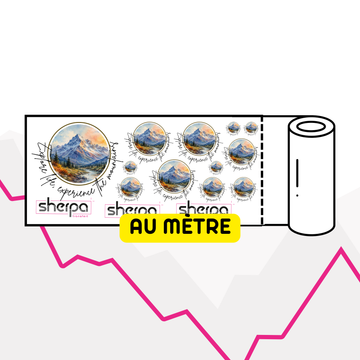
DTF, screen printing or sublimation: professional textile marking solutions to personalize all types of clothing with durable, precise and high-quality results.

DTF Transfer Printing

DTF Transfer Printing

DTF Transfer Printing

DTF Transfer Printing

DTF Transfer Printing
Our custom patches
Heat-seal patches, velcro or sew-on badges: durable personalization solutions for clothing, professional equipment, associations, sports clubs and textile brands.

SELECT 3D Patch - Embossed Patch with Spot Polish - SherPATCH

SUBLI COLOR patch - sublimated patch - SherPATCH

GRAV' CUIR patch - silimicuir engraved patch - SherPATCH

SUBLI COLOR MOUMOUTE patch - soft sublimated patch - SherPATCH

GRAV' LIÈGE patch - engraved cork effect patch - SherPATCH
Our object transfers
UV DTF stickers and sublimation transfers to personalize mugs, water bottles, promotional items, and merchandise with durable, precise, and professional results.

UV Transfer Printing DTF Object

DTF Transfer Printing

DTF Transfer Printing

Prepaid PRO 3D Sticker Printing Package

Sublimation Prepaid Object Printing Package
FAQ - AI Tools
Which files can I vectorize?
Most JPG, PNG, GIF files or screenshots containing a logo or visual can be automatically vectorized.
What formats are provided after vectorization?
Vectorized files are available in formats suitable for printing and graphic design: PDF or SVG.
What is logo vectorization?
Vectorization consists of redrawing a logo in a vector format so it can be enlarged or reduced without loss of quality.
Does background removal work on all images?
Yes, the tool is capable of processing most photos, logos and visuals. The result may vary depending on the quality of the original image.
How long does processing take?
Vectorization and background removal are typically completed in just a few seconds.
How many credits are consumed per operation?
Each treatment consumes a defined number of credits, indicated before validating the operation.
Do credits have an expiration date?
No, your credits remain available on your account until they are used.
Can I use the files obtained for printing?
Yes, the generated files are designed to be used in your printing and customization projects.
Do I need graphic design software?
No. Everything is done directly online from your customer account.
Why use Sherpa Transfert AI tools?
To save time, simplify the preparation of your files and quickly obtain ready-to-use visuals.


